Before transferring your phone number(s) to net2phone Canada, complete the following tests to confirm that your phones and call routing are working as expected.
Prepare your devices
-
Place an external call from each phone.
- Confirm that the call connects successfully.
- Check the Caller ID on the receiving phone to ensure it appears as expected.
- Listen for audio or call quality issues.
-
Confirm each phone is installed in the correct location.
- Verify that the extension displayed on each phone matches the intended user, workstation, or location.
-
Practice transferring and conferencing calls.
- Transfer a call to another extension.
- Complete a three-way call.
Phone testing resources
Use the following guides for instructions on transferring or conferencing calls:
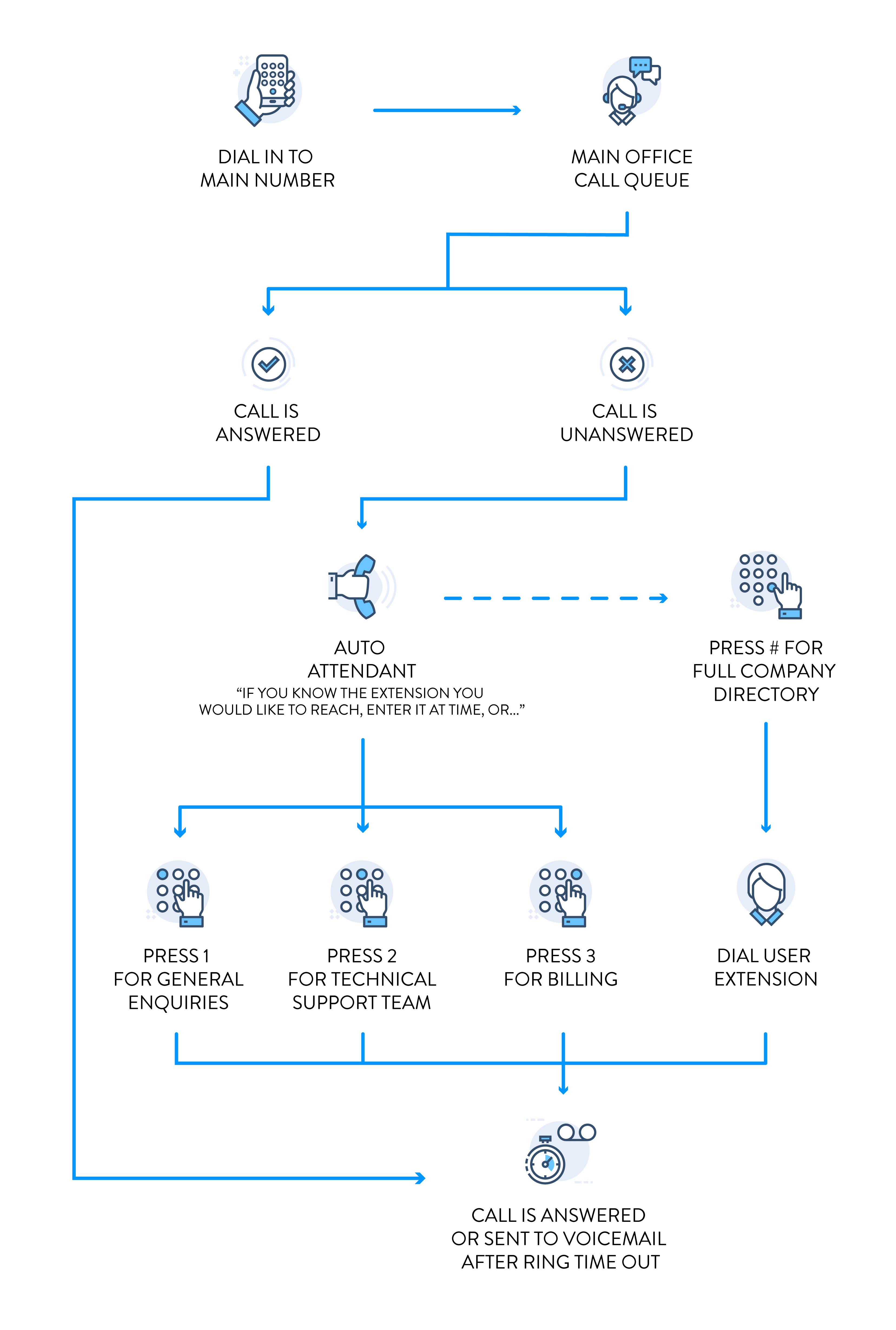
Understand your call flow
Review how your organization’s calls should be handled from the moment a caller enters the phone system through the end of the call. We recommend documenting your current call flow and identifying any areas where automated routing could improve the caller experience.
Learn how to understand and plan your call flow.